- Build the shot list from each app's current image rules, not from your social feed.
- Shoot landscape with wide margins so every item survives the app's square crop.
- In Saudi Arabia, check that names, descriptions, calories and allergens match the photo and meet the platform's and the SFDA's current rules.
- Capture vertical reels on the same day and refresh listings every month.
For many food brands in Saudi Arabia, the delivery app is where the sale is made. A customer scrolling an app at 9pm sees a small square tile with your product, a name, a price and maybe a promotion badge. It has to win the tap against every shop around it. Yet many brands still shoot for Instagram first and drop whatever is left into their delivery listings, where it gets cropped, rejected or simply looks worse than the shop next to it.
This guide plans food and product photography the other way round: start with the places where orders actually happen, build the shot list from each app’s rules, then extend the same shoot into reels for paid placements and a monthly refresh. It is written for restaurants, cafés, sweets and nuts shops, and packaged-food brands selling through apps in Saudi Arabia, with notes for the UAE and Egypt, where the platforms and their rules differ.
Start from the listing, not the shoot
Before booking a photographer, open your own listing on every app you sell through, on a phone, and write down every image slot. Most apps have three kinds:
- A cover or hero image at the top of your store page, usually a wide landscape banner.
- Item images next to each product, often shown as a small square.
- Promotional placements: carousels, banners and ad slots that reuse your hero or item images, or ask for their own artwork.
Then get the current specifications from each platform’s merchant help centre or your account manager. The rules are specific and they change. Deliveroo, which runs consumer sites for the UAE and Kuwait at the time of writing, publishes some of the most detailed public rules, so it makes a useful reference point. Here is what it asks of restaurants and of grocery and retail partners:
| Asset | Restaurants (Deliveroo help centre) | Grocery and retail partners (Deliveroo help centre) |
|---|---|---|
| Hero image | At least 1920 x 1080 px; must work in both 16:9 and 3:2 layouts; at least five different dishes | 16:9 landscape, at least 1920 x 1080 px |
| Item image | Landscape, at least 1200 x 675 px, JPEG up to 8MB; cropped to 1:1 in the app | Landscape 3:2, at least 1200 x 800 px, JPEG only; auto-cropped to 1:1 |
| Not accepted | AI-generated images, hands, faces, text, watermarks, collages, heavy retouching | Stock or search-engine images, text or branding outside the product, people (with narrow exceptions) |
Sources: Deliveroo’s restaurant photo guidance and its retail partner guidance. Deliveroo’s own pages do not agree with each other. The restaurant page gives a minimum item size of 1200 x 675 px, the retail page 1200 x 800 px at 3:2, and the separate grocery article allows an optional logo on the left of the hero image, which sits awkwardly with the retail page’s rule against branding outside the product. Treat the table as a guide, and confirm the rule for your partner type and country inside your own merchant account before the shoot.
Integration providers add another layer. Deliverect, which pushes menus to several apps, recommends 1920 x 1080 px landscape images at 16:9, in JPEG, with a 4MB file limit on its own platform, and notes that some channels set different minimums (Deliverect menu image guidelines). If your menu flows through a POS or integrator, the image has to pass both.
Shoot for the square crop
The item tile is where most decisions happen, and it is small. Because apps crop item images to a square, the product has to sit in the centre of a landscape frame with clear margins on both sides. Deliveroo’s grocery guidance asks for the product to fill roughly 70 to 90 percent of the frame. A shot that looks generous on a laptop can lose the edge of a plate or a gift box once cropped.
The published guidelines above point to a set of habits that hold up across platforms:
- Show what the customer receives. Deliveroo’s retail rules require the image to show the exact product delivered. For a restaurant, that means the actual portion and packaging, not a dressed-up version that arrives looking different.
- One item per image, unless it is a bundle, in which case every item in the bundle should be visible.
- Choose the angle by the product. Deliveroo’s restaurant guidance suggests a side-on, roughly 45-degree angle for stacked items such as burgers, sandwiches, cakes and drinks, and its grocery guidance recommends a slight side-on angle for bottles, cans and packs and says to avoid laying items flat. An overhead shot can still suit a pizza or an open platter on apps that allow it; test how it reads once cropped.
- Keep packaged goods readable. For packaged food, the front and top of the pack should be clearly visible after cropping.
- Natural, even light. Avoid dark shadows and reflections on glossy packaging, jars and sauces.
- No text, logos or prices on item images. Offers belong in the app’s promotion tools, not burned into the photo.
- Real photographs you own. Deliveroo states that AI-generated images are not permitted on its restaurant listings, and its retail and grocery guidance does not accept stock images or pictures taken from search engines. Check the policy of each app you use before relying on generated or stock visuals.
Appetite appeal comes from details only a close-up catches: steam, the break of a pastry, the gloss on a sauce, the texture of roasted nuts, the colour of fresh fruit. Plan two frames for every hero item, the clean listing shot to the rules and a tight appetite close-up for social and ads. They take minutes to add on the day and are hard to fake afterwards.
Make the listing data match the photo
In Saudi Arabia a delivery listing is more than a picture and a price. The data around the image is regulated and checked, and it should be written at the same time as the shot list.
- Bilingual names and descriptions. Deliverect’s documentation for HungerStation says every menu published there must be fully translated into English and Arabic, item descriptions must have at least two words, stay under 400 characters and differ from the item title, and every item needs calorie and allergen information. Missing translations make the menu fail to publish, and items without nutrition and allergen data must be completed before republishing (Deliverect, HungerStation menu requirements). This is an integrator’s summary of HungerStation’s rules, not HungerStation’s own documentation, so confirm the current requirements with the platform or your account manager.
- Calories and nutrition. A 2023 study in Frontiers in Nutrition reports that the Saudi Food and Drug Authority’s calorie labelling policy was enforced for restaurants in 2019 and updated in 2023 to include food delivery apps. Gulf News reported in July 2025 that a further SFDA directive, covering physical and digital menus including delivery apps, added items such as a salt icon for high-sodium meals, caffeine content for drinks and the estimated time to burn off an item’s calories (Gulf News). We could not find the current text on the SFDA’s own website, so treat these as reported rules: check the current SFDA requirements with the authority before you publish. This is not legal advice.
- The name, photo and description must describe the same thing. If the photo shows a 500g box, the title and description should say 500g. A mismatch here leads straight to complaints and refund requests.
The same data rules apply on the pack itself; our SFDA food labelling checklist covers the packaging side. The practical step: build one product sheet per item with the file name, Arabic and English names, descriptions, weight or portion, calories, allergens and price. File names should match the item name in the menu system; Deliveroo’s retail rules require it (or the product’s barcode or PLU), and it saves hours when you upload dozens of items.
Turn the same shoot into reels for paid placements
Listing images close the sale inside the app. Reels and short videos bring people to the app in the first place, on Instagram, TikTok and Snapchat, and in the apps’ own ad slots. Plan them on the same day with the same products, so the customer sees in the ad exactly what they will find on the listing.
What to capture
- A first second that shows the food: a pour, a cut, a lid opening, a scoop of nuts into a box. No logo intro.
- The delivered moment: the order arriving in your branded bag or box, so the viewer knows what they will receive.
- The offer, clearly, in on-screen text in Arabic and English versions, matching what is actually live in the app.
- The app and the action: which app, and what to search or tap.
Format and Arabic safe zones
Shoot vertical. TikTok’s ads help centre recommends 9:16 vertical video at 540 x 960 px or more, accepts files up to 500MB, and provides safe-zone templates, including a separate right-to-left version for the Arabic region (TikTok video ads specifications). Use the RTL template when you place Arabic text so captions and prices stay clear of the on-screen buttons. Check each platform’s own current specs for Instagram and Snapchat before export.
In-app advertising
Many delivery apps also sell placements inside the app. Deliveroo, for example, describes Marketer Adverts that appear in homepage carousels, cuisine pages, search results and restaurant listings, charged per click against a budget you set, with targeting options such as new customers, existing customers and customers who have not ordered recently, and reports on taps, orders and new customers (Deliveroo help centre). Ask your account manager on each app which placements exist, what artwork they use and how results are reported. An in-app ad sends people to your listing, so a weak listing photo wastes the click.
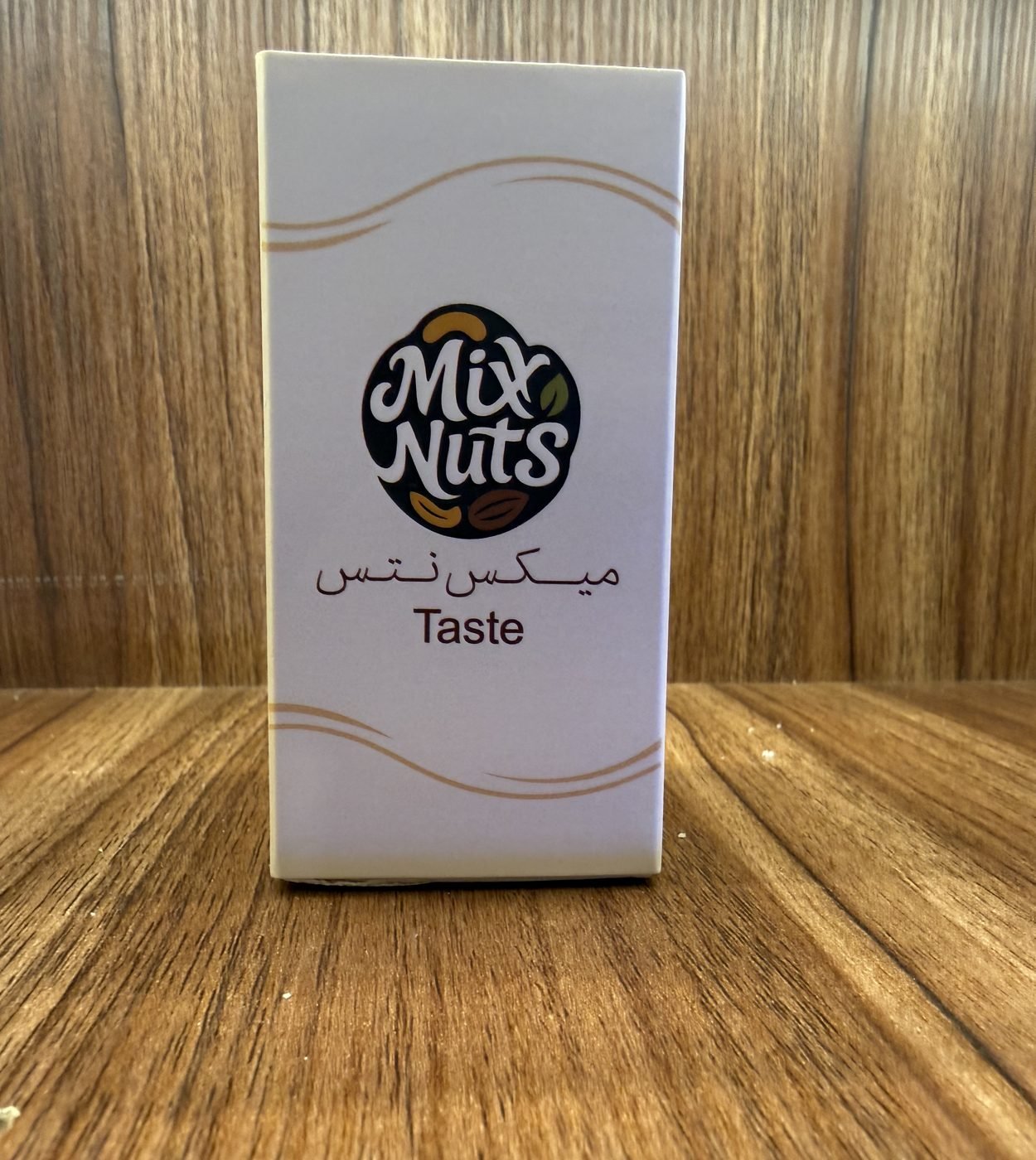
For an example of the content side, the Mix Nuts case study covers RX’s work for a premium nuts, dates and gifting store in Riyadh: product visuals that give each blend its own hero shot, short cinematic reels, and partner campaigns with HungerStation, Jahez, Keeta and Tabby built around one message, order now and enjoy it in minutes. Reels and product films of this kind sit under RX’s video, motion and photography service.
Keep listings fresh with a monthly refresh
A listing shot once and left for a year goes stale: new items appear without photos, seasonal boxes stay up after the season, and the cover still shows last year’s packaging. A light monthly routine prevents it.
| When | What to do |
|---|---|
| Every month | Check every item has a compliant photo; replace any image with a missing or outdated pack; rotate the cover image to the current hero product or offer |
| Before each season | Shoot seasonal items and gift boxes (Ramadan, Eid and national occasions) four to six weeks ahead, with matching reels and in-app artwork (see our Ramadan plan for food and gifting brands) |
| When a product changes | Reshoot the same day the new pack, portion or recipe goes live, and update names, weights and calories |
| Every quarter | Where each app’s reports allow, compare views, taps and orders by item; reshoot the items that are viewed but rarely ordered |
Budget for a short half-day refresh shoot each month rather than one large shoot a year. It keeps the menu current and gives the social calendar a steady supply of new material; our guide to a monthly social media content plan covers how to slot it in.
Brief the shoot so the files are usable
Whether you use an in-house team, a freelance photographer or a studio, the brief decides whether the files go straight into the apps or need weeks of fixing. Include:
- The full item list from your product sheet, grouped by app and by priority (best sellers and promoted items first).
- Each app’s current specifications: ratio, minimum size, file type, file size and content rules, plus the square-crop margin.
- Styling rules: background colour, props, packaging, the angle for each product type, and what must never appear (hands, text, competitor packaging).
- Video shot list for reels: openers, delivered moment, offer shots, in vertical with Arabic safe zones in mind.
- Food on the day: prepared as it is actually served, with a duplicate of each item so the team can reshoot without waiting.
- File delivery: naming to match the menu system, exports per app, and the original high-resolution masters.
- Rights in writing. Apps expect you to hold the rights to the images you upload, and some reject stock or generated images outright. Make sure your agreement transfers the final files and usage rights to your company; at RX, clients receive the final and source files and their rights at handover.
If your delivery listings and your social ads are produced by different people, put one person in charge of checking that the photo, the offer and the description match across every app before anything goes live. A mismatch between ad, photo and listing is the cheapest problem to prevent and one of the most visible to customers.
Frequently asked questions
What size should food photos be for delivery apps?
It depends on the app and your partner type, and Deliveroo's own pages differ. Its restaurant guidance asks for landscape item images of at least 1200 x 675 px and hero images of at least 1920 x 1080 px, in JPEG, while its retail guidance asks for item images of at least 1200 x 800 px at 3:2. Check each app's merchant help centre or your account manager for the current rule in your country.
Can I use AI-generated or stock food photos on delivery apps?
Often not. Deliveroo states that AI-generated images are not permitted on its restaurant listings, and its retail and grocery guidance does not accept stock images. Other apps set their own policies, so check before relying on them; real photos of the actual product are the safest choice.
Do delivery app listings in Saudi Arabia need calorie information?
Expect to. A 2023 study in Frontiers in Nutrition reports that the SFDA's calorie labelling policy was updated to include food delivery apps, and Gulf News reported in July 2025 that further SFDA rules for physical and digital menus add a salt icon, caffeine content and calorie burn time. HungerStation also requires calorie and allergen data for every item, according to the integrator Deliverect. Confirm the current requirements with the SFDA before publishing.
- Deliveroo Help Centre, How to upload your own photos in Menu Manager (2026-09-02).
- Deliveroo Help Centre, How to upload your own product images (retail partners) (2026-02-16).
- Deliveroo Help Centre, How to upload your own images in Menu Manager (Grocery partners) (2026-02-26).
- Deliveroo Help Centre, Advertising your business on Deliveroo (2026-01-27).
- Deliveroo, Deliveroo UAE (2026-10-31).
- Deliveroo, Deliveroo Kuwait (2026-10-31).
- Deliverect Help Center, Image guidelines for menus.
- Deliverect Help Center, HungerStation menu requirements (2026-08-27).
- Frontiers in Nutrition, Restaurants' compliance with calorie labeling policies in food delivery applications (2023).
- Gulf News, Saudi Arabia enforces new menu rules to flag salt, caffeine and calorie burn (2025-07-02).
- TikTok Ads Manager Help Center, Video ads specifications (2026-06).
- RX Designer, Mix Nuts case study.