- Optimise click-to-WhatsApp campaigns for the Leads performance goal, not conversations, where it is available.
- Write the first automated message before the ad, and make it ask the first qualifying question.
- Three qualifying questions (need, location and timing, buyer role) are usually enough before handing over to sales.
- Label every chat and, on the Business Platform, report qualified leads back to Meta so the campaign learns.
For a company that sells on quotation, a WhatsApp chat is the most natural first step a buyer can take. A contractor wants a price for fire pumps, a facility manager needs a maintenance contract, a retailer asks for a wholesale list. Ads that open WhatsApp put that step one tap away. The problem most B2B advertisers in the Gulf and Egypt run into is not volume. It is the inbox that fills with “Hi”, “Price?” and voice notes, and a sales team that spends the morning working out which three chats were real.
This guide covers the three decisions that separate a WhatsApp campaign that produces quotation requests from one that produces chatter: the performance goal you optimise for, the first message the buyer sees, and the short qualifying sequence that follows.
Why click-to-WhatsApp campaigns disappoint B2B teams
Most of the disappointment comes from a mismatch between what the campaign is told to find and what the business actually needs. If the campaign is optimised for conversations, Meta’s delivery system does exactly that: it finds people likely to start a chat. Starting a chat is cheap and easy, so the system will happily deliver curious consumers, job seekers and competitors’ staff alongside genuine buyers. Instant forms have the same problem in a different shape; see our note on low-quality instant-form leads.
Three other patterns make it worse:
- No first message. The buyer lands in an empty chat and types whatever comes to mind, usually one word.
- No qualifying step. Every chat goes straight to a salesperson, who asks the same basic questions by hand, often hours later.
- No feedback loop. The ad account never learns which chats became quotations, so it keeps buying more of the cheap ones.
Choose the Leads goal, not conversations
Meta now lets click-to-WhatsApp campaigns optimise for leads rather than simply for conversations. According to WhatsApp Business’s lead generation guide, the setup in Ads Manager is:
- Choose the Engagement objective.
- Select Messaging apps as the conversion location.
- Choose WhatsApp as the messaging app.
- Under optimisation, select Leads as the performance goal.
Meta reports that, on average, ads that click to WhatsApp optimising for leads drove 24% lower cost per lead than ads optimising for conversations. Treat that as Meta’s own figure: it comes from an internal experiment covering 116,000 campaigns across 43,000 businesses in one week of November 2024, across industries and regions. It is a reason to test the Leads goal, not a promise for your account. The same page notes the Leads goal is not available in the EU, UK, Japan or South Korea; that exclusion list does not include the Gulf states or Egypt, but check the option appears in your own ad account before planning around it.
Two further pieces of Meta guidance from its click-to-WhatsApp setup page matter for B2B advertisers:
- Run for at least seven days. Short bursts rarely give the system enough signal, which matters more when qualified leads are few.
- Audience size of at least 2–10 million performs best. In a narrow B2B niche in a single Gulf country, you may not reach that figure with tight interest targeting. That is an argument for broader targeting combined with a stronger qualifying step in the chat, not for stacking more interests.
Write the first message before you write the ad
The first message decides the quality of everything that follows. WhatsApp Business recommends using greeting messages and quick replies to acknowledge every new conversation instantly, and notes that leads who get a reply within minutes are much more likely to convert. In the Business app, the greeting feature sends an automatic welcome to new customers; on the Platform, the same job is done by your automated flow.
A good first message for a quotation business does four things in a few lines:
- Confirms the buyer is in the right place, using the product or service named in the ad.
- States what happens next and roughly when (“our sales engineer replies during working hours”).
- Asks the first qualifying question, with options where possible.
- Works in both Arabic and English, or follows the language of the ad.
For example, a hypothetical distributor of fire-fighting equipment advertising pump sets might open with: “Thank you for contacting us about fire pump sets. To prepare an accurate quotation, please choose: 1) New project 2) Replacement 3) Maintenance or spare parts.” That single question already filters out much of the noise, because a buyer with a real requirement answers it in a second and a casual browser usually does not.
Keep the ad copy aligned with that message. If the ad says “Get a quotation in 24 hours”, the chat must start a quotation, not a general conversation.
Three qualifying questions that protect your sales team
WhatsApp Business suggests using early messages to ask about budget, timeline or service interest so you can prioritise high-intent leads. For B2B quotation businesses in the region, asking about budget in the first minute often backfires; buyers expect the supplier to price. The three questions below usually work better. Ask them one at a time, with numbered options or buttons.
| Question | Why it matters | What to do with the answer |
|---|---|---|
| What do you need? (product category, service type, or new / replacement / maintenance) | Routes the chat to the right person and tells you whether this is a project or a small order. | Tag the chat by category; send product requests to sales and spare-parts requests to service. |
| Where is the project, and when is it needed? (city, plus “this month / within 3 months / just researching”) | Separates live requirements from early research and confirms you cover the location. | Prioritise “this month”; send “researching” leads a catalogue or company profile and follow up later. |
| Who are you buying for? (company name, and whether they are the contractor, consultant, end user or reseller) | Tells sales who decides and what kind of offer to prepare. | Hand qualified company leads to a named salesperson; route individuals or resellers to the right channel. |
As a rule of thumb, keep it to three questions; every extra step is a chance for the buyer to stop replying. Anything else, such as drawings, bills of quantities or specifications, should be requested by the salesperson once the lead is qualified; our WhatsApp sales script from first reply to quotation covers that hand-over.
Hypothetical example: the full sequence, from ad tap to hand-over. Continuing the fire-pump example above, written for this article; replace the product, cities and names with your own. The label column shows what the team applies in the chat at each step.
| Turn | English | Arabic | Label applied |
|---|---|---|---|
| Buyer (pre-filled from the ad) | Hello, I would like a quotation for fire pump sets. | السلام عليكم، أرغب في الحصول على عرض سعر لمضخات الحريق. | New lead: ad |
| Business (first message) | Thank you for contacting us about fire pump sets. To prepare an accurate quotation, please choose: 1) New project 2) Replacement 3) Maintenance or spare parts | شكرًا لتواصلكم معنا بخصوص مضخات الحريق. لنجهّز لكم عرض سعر دقيقًا، يُرجى اختيار نوع الطلب: 1) مشروع جديد 2) استبدال 3) صيانة أو قطع غيار | |
| Buyer | 1 | 1 | Project |
| Business | Where is the project, and when do you need the pumps? 1) This month 2) Within 3 months 3) Just researching. Please add the city. | أين يقع المشروع، ومتى تحتاجون المضخات؟ 1) خلال هذا الشهر 2) خلال 3 أشهر 3) ما زلنا نجمع المعلومات. يُرجى ذكر المدينة. | |
| Buyer | 2, Dammam | 2، الدمام | Within 3 months; Eastern Province |
| Business | Which company is the quotation for, and are you the 1) Contractor 2) Consultant 3) Owner or end user 4) Reseller? | باسم أي شركة يصدر عرض السعر، وما صفتكم في المشروع: 1) مقاول 2) استشاري 3) مالك المشروع أو مستخدم نهائي 4) موزّع؟ | |
| Buyer | 1, [company name] | 1، [اسم الشركة] | Qualified |
| Business (hand-over) | Thank you. Eng. [name], our sales engineer for the Eastern Province, will message you from this number today during working hours to ask for the pump schedule or specification. | شكرًا لكم. سيتواصل معكم م. [الاسم]، مهندس المبيعات المسؤول عن المنطقة الشرقية، عبر هذا الرقم اليوم خلال ساعات الدوام، لطلب جدول المضخات أو المواصفات الفنية. | Assigned: [salesperson] |
Two details carry most of the weight: the buyer can answer every question with one digit, and the last message names a person and a time, so the chat does not go cold between qualification and the first sales reply.
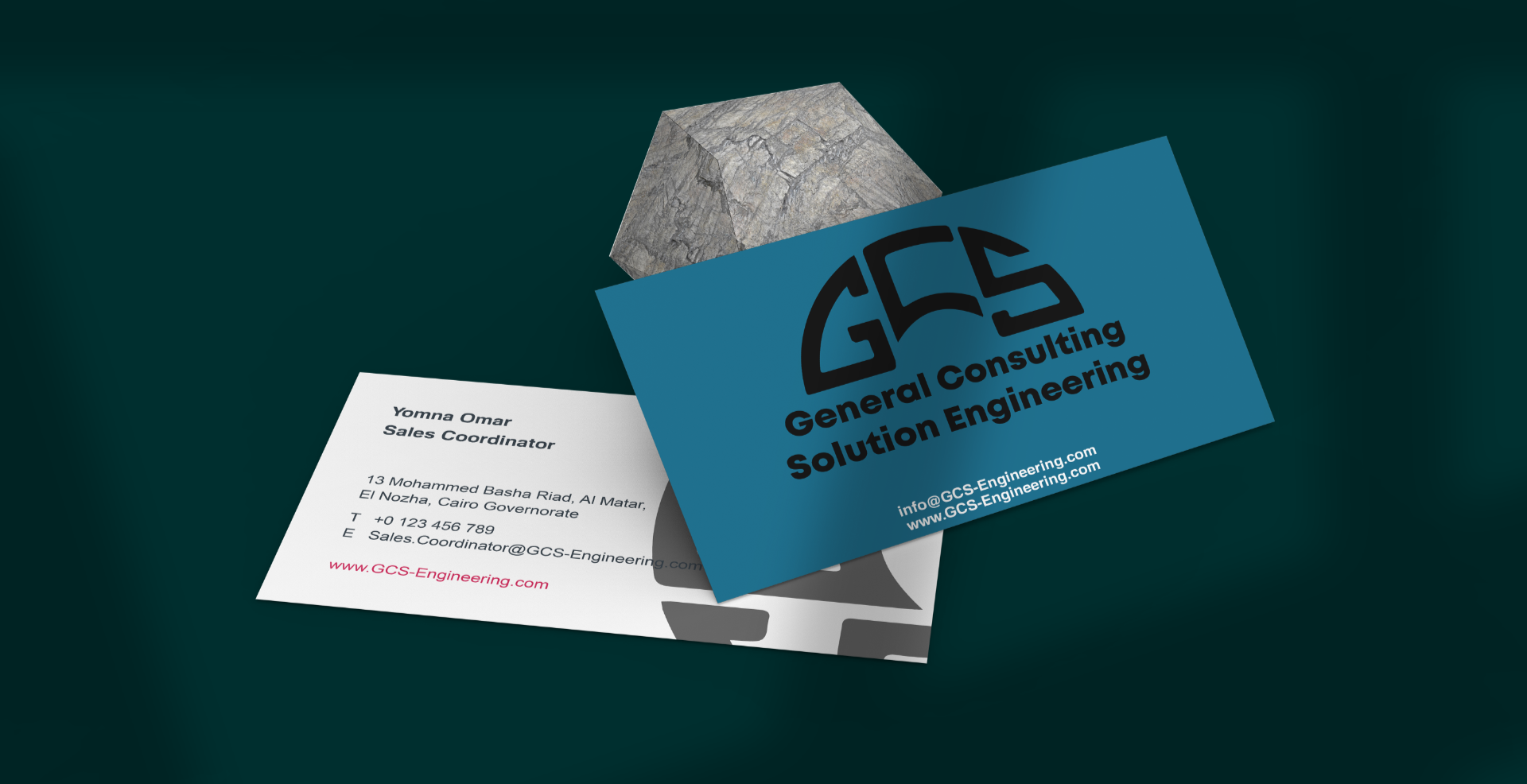
When RX launched GCS, a new fire-safety and engineering-systems brand in Saudi Arabia, the work included prepared WhatsApp replies for the most common inquiries and message flows from first contact to quotation request. Writing those flows and the replies that follow is part of RX’s sales enablement work.
Business app or Business Platform: what changes as volume grows
Click-to-WhatsApp ads can lead to a number on either the Business app or the Business Platform; confirm the setup options in your own ad account. The difference shows up in how much of the qualifying step you can automate and measure. The table summarises what matters for ad leads; our full comparison of the WhatsApp Business app and API covers migration and the rest.
| WhatsApp Business app | WhatsApp Business Platform | |
|---|---|---|
| Best for | Small teams answering chats themselves | Teams with several agents, a CRM, or automated qualifying |
| First message | Greeting message, quick replies, labels | Automated flows and routing through your provider or system |
| Multiple users | Limited; Meta Verified lists linking up to 10 devices and agents as a benefit | Connects to shared inboxes and CRMs through your system or messaging provider |
| Sending conversion data back to Meta | Not covered: Meta’s Conversions API for Business Messaging documentation addresses the Platform (Cloud API or On-Premises API) | Possible, which allows events such as QualifiedLead to be reported |
A practical rule: if your team handles a few dozen ad chats a week and labels them by hand, the app is enough. Once chats arrive faster than one person can qualify them, or you need to tell Meta which chats became real opportunities, the Platform is worth evaluating. Its messages are priced per message by category and market, so check Meta’s rate cards for your countries first.
Tell Meta which chats were worth it
The Leads goal is closer to what sales needs than optimising for conversations, but it still relies on signals Meta can see inside the chat. The biggest step up for B2B advertisers is sending your own verdict back. Meta’s Conversions API for Business Messaging lets businesses on the WhatsApp Business Platform report events that happen in the messaging thread, including LeadSubmitted, QualifiedLead and Purchase. Each event must carry the ctwa_clid identifier that arrives with the incoming message from the ad, so the integration needs your developer or messaging provider.
Even before that integration exists, keep a simple discipline:
- Label every ad chat as qualified, not qualified or quotation sent.
- Review the labels weekly against the ads and audiences that produced them.
- Pause creatives that produce chats but no qualified labels, even if their cost per conversation looks low.
This is where campaign management and sales operations meet. If the people running the ads never see what sales did with the chats, the account optimises for the wrong thing. RX’s performance marketing work is built around that link: campaigns tied to a WhatsApp inquiry flow, with tracking and monthly reporting on what actually moved.
Launch checklist
- Decide what counts as a qualified lead, in writing, with the sales manager.
- Write the first message and the three qualifying questions in Arabic and English.
- Set up greeting messages, quick replies and labels (app), or the automated flow (Platform).
- Create the campaign: Engagement objective, Messaging apps, WhatsApp, Leads performance goal.
- Keep targeting broad enough to approach Meta’s suggested audience size, and let the qualifying questions do the filtering.
- Schedule the campaign for at least seven days and agree who answers chats outside working hours.
- Label every chat and review results weekly by ad, not only by campaign.
- Plan the Conversions API integration if volume justifies the Platform.
Run the checklist for one product line first. After two weeks, compare labelled chats with quotations sent: if few of the chats are qualified, change the first message before you change the audience, because the message is the cheaper fix. If the ads, the flow and the sales replies are owned by different people, that split is usually where the leads are lost, and a business diagnosis session can map it in one sitting.
Frequently asked questions
Which campaign objective should I use for click-to-WhatsApp ads?
Meta's WhatsApp Business guidance uses the Engagement objective with Messaging apps as the conversion location, WhatsApp as the app and Leads as the performance goal. Meta says this goal is not available in the EU, UK, Japan or South Korea.
Is the Leads goal really cheaper than optimising for conversations?
Meta reports a 24% lower average cost per lead from an internal experiment of 116,000 campaigns in November 2024. It is Meta's figure, not a guarantee, so test it against your own results.
Do I need the WhatsApp Business Platform to run these ads?
No. The Business app can receive click-to-WhatsApp ads. The Platform becomes useful when several agents share chats, when you want automated qualifying flows, or when you want to send qualified-lead events back to Meta through the Conversions API.
Are replies to click-to-WhatsApp ad chats charged on the Platform?
Meta's pricing documentation describes a free entry point window of up to 7 days for chats started from these ads on Android or iOS, during which marketing, utility, authentication and service messages are not charged. Messages generated by Meta Business Agent are still charged.
How many qualifying questions should the first chat ask?
Usually no more than three, asked one at a time with options: what the buyer needs, where and when, and who they are buying for. Detailed documents can be requested after the lead is qualified.
- WhatsApp Business (Meta), Lead generation strategies for small businesses on WhatsApp.
- WhatsApp Business (Meta), Create ads that click to WhatsApp.
- WhatsApp Business (Meta), WhatsApp Business app features.
- Meta for Developers, Pricing on the WhatsApp Business Platform.
- Meta for Developers, Conversions API for Business Messaging.